






Microsoft
About
I led UX design for Search refiners within Microsoft Outlook, used by hundreds of millions of users worldwide. The goal was to help people find emails, files, and conversations faster within increasingly complex inboxes.
Client: Microsoft Outlook
Contribution: UX, Design Strategy, Systems Thinking
Year: 2021-2022
Tools
Figma · Fluent Design System · Prototyping · Cross-functional collaboration
The Problems to Solve
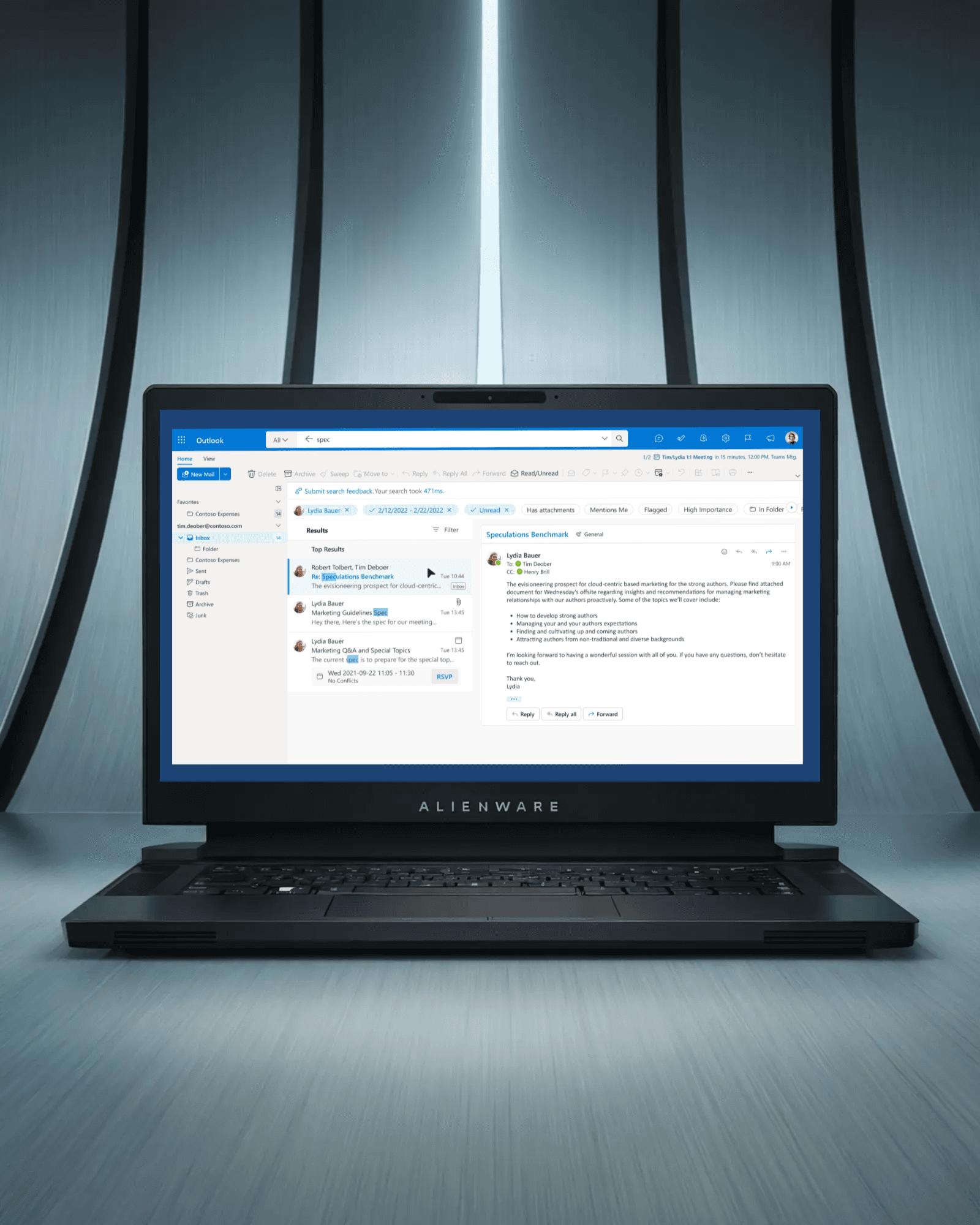
As inbox sizes grew, users struggled to locate relevant information quickly. Existing filters were difficult to discover, cognitively heavy, and inconsistent across platforms. This resulted in inefficient search behavior and reduced productivity.
Approach
I collaborated closely with product managers, engineers, and design partners to explore ways to simplify filtering while maintaining power for advanced users.
My work included:
Designing intuitive search refiners and filter interactions
Exploring tabbed and progressive filtering concepts
Improving information architecture for search results
Supporting accessibility improvements aligned with WCAG standards
Creating prototypes to test usability and discoverability
Aligning with Fluent Design System patterns
Solution
We introduced clearer, more discoverable filtering options that reduced cognitive load and supported both quick scanning and targeted search. The refiners enabled users to narrow results by attributes such as sender, attachments, time range, and content type without disrupting their workflow.